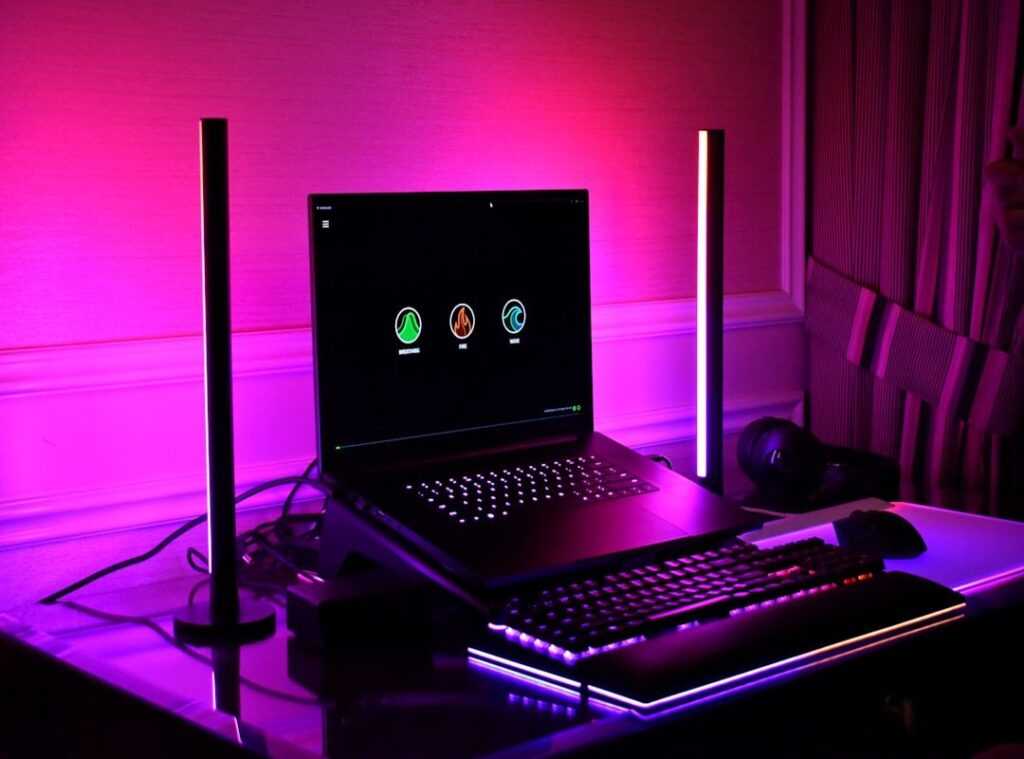

Lagging in a game’s key moment sucks, doesn’t it? You’ve spent a fortune on that rig, but it still stutters just when you need it most. Frustrating, right?
Many gamers face this. They splurge on high-end gear but miss the mark on integration and tuning. That’s where you lose performance.
We’re here to end the guesswork.
After countless hours of gameplay and fiddling with components, we’ve cracked the code. Forget what looks good on paper. This isn’t just another spec list.
It’s a full guide to a smoother, more responsive gaming experience.
From hardware to those key peripheral choices, we’ve got you covered. You’ll walk away with a truly ergonomic gaming setup that dominates. Ready to start?
Dive in and transform your gaming world.
The Core Four: Your Gaming PC’s Powerhouse
Setting up a PC is like building a race car. You need the right parts working together. The right CPU, GPU, RAM, and storage are your engine, tires, and chassis.
So let’s break this down.
First, there’s the CPU, the brains of your machine. If you’re into gaming, single-core speed often trumps having a dozen cores. Those plan games and simulations demand it.
Now, the GPU. It’s the brawn, the muscle flexing to deliver stunning visuals. If you’ve been eyeing top accessories enhancing gaming experience, then matching your GPU to your monitor is key.
Intel’s i5 or i7 and AMD’s Ryzen 5 or 7 hit the sweet spot. They balance power and price. You’d be surprised how much smoother gameplay can be with the right choice.
Are you gaming at 1080p, 1440p, or 4K? Each has its demands. Higher frame rates or jaw-dropping fidelity?
That’s the trade-off. Get it wrong, and your ergonomic gaming setup becomes a lot less comfortable.
Next up, RAM: think of it as your short-term memory. Sure, 16GB is the norm, but if you’re multitasking? Jump to 32GB.
It handles gaming, Discord, and streaming like a breeze. Don’t forget about speed (MHz matters). And let XMP/EXPO in the BIOS for that extra kick.
It’s like finding a dollar in your coat pocket, a free performance boost.
Finally, storage. That’s your launchpad. Forget the ancient HDD for your OS and primary games.
You need an NVMe SSD. Why? Because waiting for load screens is so last year.
Reduced load times mean smoother asset streaming. Important for open-world games. HDDs are fine as pack mules for data, but not for active gaming.
Get these right, and your PC becomes the powerhouse it was always meant to be. Who wouldn’t want that?
Beyond the Box: Peripherals That Translate Power into Victory
Even the world’s fastest PC can’t save you if your monitor is a potato. That’s right, your monitor is your window to the world. Refresh rate and response time make or break your experience.
Imagine a 144Hz monitor. It delivers twice the frames per second as a 60Hz. That’s like having a cheat code in fast-paced shooters.
It’s not just a detail. It’s the game-changer.
Let’s not forget your input devices. A wired controller or mechanical keyboard isn’t just a luxury. It’s a necessity.
Think about it: in stick-based fighting games or when you’re trying to land that perfect skill shot in a MOBA, input lag is your enemy. You need precision. You need that action to happen the moment you think it.
Anything less is just not an option.
Audio is another unsung hero. Ever noticed how you can hear footsteps before you see the enemy? That’s not just luck.
A high-quality gaming headset offers key spatial awareness. And those audio cues? They’re like secret intel on where your opponent is hiding, ready to ambush you.
And let’s talk about comfort. You can’t perform if you’re battling discomfort. Check out ergonomics for gamers.
It’s not just about winning. It’s about staying in the game longer, with a setup that keeps you in the zone. An ergonomic gaming setup isn’t optional.
It’s your secret weapon.
The Digital Tune-Up: Unleashing Software Power
You know what’s often overlooked? The digital tune-up. Everyone’s obsessed with hardware upgrades, but they forget software tweaks are where the magic happens.
This is where a “good” PC becomes optimized.
Let’s start with driver updates. Keeping your GPU drivers current is key. I can’t stress this enough.
They’re not just bug fixes; they often include game-specific optimizations. Imagine getting a significant FPS boost in your favorite new release just by updating a driver. Feels like free performance, doesn’t it?
Now, Windows optimization. It’s a beast, I know. But taming it is important.
Let Game Mode and switch to the ‘Ultimate Performance’ power plan. You’ll notice a difference. Also, cut down those unnecessary startup programs.
Do you really need all that stuff running in the background? I thought not.
In-game settings are all about strategic trade-offs. You ever heard of the ’80/20 rule’ for graphics? Focus on the 2-3 settings that hit performance hardest, like shadows and anti-aliasing.
Adjust those first. Prioritize FPS over visual fluff, especially in competitive titles. You want to win, right?
Debloating your system is another big one. Pre-installed manufacturer bloatware is a nightmare. Get rid of it.
And please, disable those background apps (who needs RGB software for parts they don’t even own?). CPU cycles and RAM are precious.
Now, while you’re tuning up your software, consider your physical setup too. An ergonomic gaming setup can make a world of difference. Speaking of setups, don’t overlook cable management techniques gaming.
Tangled cables are the enemy of efficiency and sanity.
So there it is. A few tweaks, and you’re on the path to a buttery-smooth gaming experience. Software might be the underdog, but it packs a punch when done right.
Who knew, right?
Keeping Your Cool: Why Thermals and Power Matter
Your high-end components are like elite athletes. If they overheat, they’re going to slow down and perform poorly. cooling comes in. Air vs. Water Cooling: Air cooling is reliable and cost-effective.
It’s like that trusty old fridge. But if you want more (like) aesthetics and better performance (AIO) liquid coolers might be your thing. They’re sleek but come with a bit more complexity.
Ever heard of thermal throttling? It’s when your CPU or GPU slows down to avoid damage. Not cool, right?
That’s why managing heat is key for any ergonomic gaming setup. You want those frames smooth and steady.
Now, let’s talk about the unsung hero: the power supply unit (PSU). Skimping here? Bad idea.
A cheap PSU is a ticking time bomb. It can fry your precious components. Go with a reputable brand like Seasonic or Corsair, and aim for an 80+ Gold rating.
Trust me, a good PSU is worth every penny. You’ll need enough wattage, too, with some headroom for future upgrades. Plan ahead, stay cool, and game on.
Level Up Your Gaming Experience
You get it now. Your gaming setup isn’t just about fancy parts that make your wallet cry. It’s a well-oiled machine, a true ergonomic gaming setup.
No more lag or hardware woes. It’s about the right mix of gear and smart tweaks.
So, what now? Don’t just sit there. Dive into the software section and try out a tip.
See if it makes your game smoother, faster, better. Test it yourself. You deserve to see what your rig’s truly capable of.
Go ahead, take the plunge. It’s time to experience gaming like never before.
 Ask Donald Symondslaber how they got into console gaming trends and insights and you'll probably get a longer answer than you expected. The short version: Donald started doing it, got genuinely hooked, and at some point realized they had accumulated enough hard-won knowledge that it would be a waste not to share it. So they started writing.
What makes Donald worth reading is that they skips the obvious stuff. Nobody needs another surface-level take on Console Gaming Trends and Insights, Pro Tips Collection, Multiplayer Strategy Breakdowns. What readers actually want is the nuance — the part that only becomes clear after you've made a few mistakes and figured out why. That's the territory Donald operates in. The writing is direct, occasionally blunt, and always built around what's actually true rather than what sounds good in an article. They has little patience for filler, which means they's pieces tend to be denser with real information than the average post on the same subject.
Donald doesn't write to impress anyone. They writes because they has things to say that they genuinely thinks people should hear. That motivation — basic as it sounds — produces something noticeably different from content written for clicks or word count. Readers pick up on it. The comments on Donald's work tend to reflect that.
Ask Donald Symondslaber how they got into console gaming trends and insights and you'll probably get a longer answer than you expected. The short version: Donald started doing it, got genuinely hooked, and at some point realized they had accumulated enough hard-won knowledge that it would be a waste not to share it. So they started writing.
What makes Donald worth reading is that they skips the obvious stuff. Nobody needs another surface-level take on Console Gaming Trends and Insights, Pro Tips Collection, Multiplayer Strategy Breakdowns. What readers actually want is the nuance — the part that only becomes clear after you've made a few mistakes and figured out why. That's the territory Donald operates in. The writing is direct, occasionally blunt, and always built around what's actually true rather than what sounds good in an article. They has little patience for filler, which means they's pieces tend to be denser with real information than the average post on the same subject.
Donald doesn't write to impress anyone. They writes because they has things to say that they genuinely thinks people should hear. That motivation — basic as it sounds — produces something noticeably different from content written for clicks or word count. Readers pick up on it. The comments on Donald's work tend to reflect that.